
Student Guide to Selecting Your Preferences at UNSW Sydney

Selecting your UNSW preferences is an important step toward progressing into your chosen degree. This guide will walk you through the process step-by-step and show you how to navigate the portal so that you can confidently submit your choices.
Note: This guide is applicable to Foundation Studies students.
-
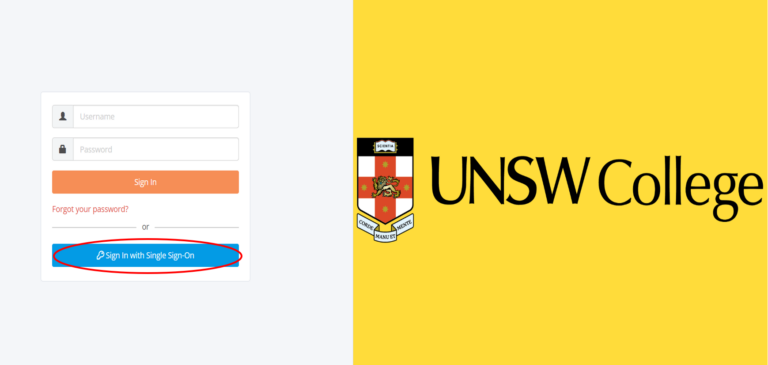
1. Go to the Student Portal and log on with your zID and log on by clicking the blue “Students & Staff Click Here to Login” button (you do not need to fill in your username and password).
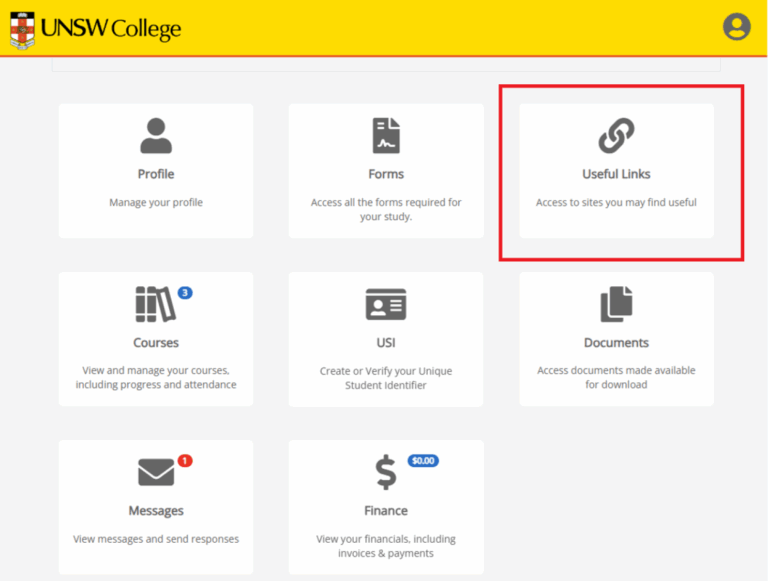
2. Click on “Useful Links”.
3. Select the “FS UNSW PREFERENCES” link.

4. The UNSW University Preferences page will load and you should your personal details at the top of the page.

-
1. You will see some messages for you to read, please carefully review them. Some of the messages you might see include the following:
- The “UNSW Preference Selection” gives you information about the preferences process.
- The “Acknowledgement” are the terms you agree to when submitting your preferences selection.
When you have finished reading the messages, you may “hide” them by clicking the “I have read this” button, or “show” them again later if you wish to re-read them. Messages that have been updated/changed will be indicated so that you can read them again and note the changes. In some cases, staff may “pin” a message for you which cannot be minimised (this would be an important message they do not want you to miss).
Some samples of these messages are provided at the end of this guide under “Appendix”.

-
Please note:
You will see a column called “Available”. This shows which terms the selected degree is available in and will help clarify why a selection may not show in some instances. In this example you can see degree “3502” is available for all three terms, but degree “4782” is only available in the first term (so if you select Term 2 or Term 3 against “4782” nothing will show).

1. Your selection screen will be blank and ready for you to make your choices.
- By default your selection is set to the stream you are currently in, but you can change this to select from other streams and from UNSW College Diplomas also (see below for more details).
- The “Select … (26 available)” boxes indicate there are 26 (or whichever number appears for you) choices possible for you from the current stream selection – there will be more or less depending on your stream, term, year, faculty choices etc.

2. You can select “Year”, “Term” and/or “Faculty” to reduce the number of selection choices further, making it easier for you to find your selection. This is optional, you can select from the full list of degrees at any time you wish – before or after making the other settings.

3. You MUST however select "Year" and "Term" for the degrees you choose, before you can save/submit your selections (see below) as we and UNSW Sydney need to know what year and what term you are wishing to go into should your preference be successful.
Once you have made a full choice, additional information is then shown: the GPA, English requirements and a link to the webpage for more details about the degree. If you do not see these you have not selected year, term, faculty, and degree. If you have followed the steps correctly, then the GPA and accompanying information will appear.

4. You can make additional choices, and/or “Save” at any time (save button is at bottom left of your screen).

5. Once you have made the minimum number of choices (usually 4, and you may be able to select a few more additional choices than the minimum) you will be asked to confirm having read and understood the "Acknowledgement" statement as provided in your messages section. You have to confirm that before you can save/submit your selection.

6. At any time you can clear a selection made, or re-order your selections to move one up higher or lower in your list of preferences.

7. Once you have checked the box under "Declaration" and successfully submitted your preferences, you will see a read-only view of your choices.


-
1. You may come back at any time while the preferences form is still open in order to view and/or make changes to your selections. As long as the preferences form is still open you will see a “Change” button available, to allow you to make selection changes.

2. Remember you must submit a minimum of 4 choices, so if you only “Save” less than that, please make sure you come back later and complete your choices.
- You can see the preference form’s open/close date at the bottom of your “Messages” section.

-
You may notice that for some selections there are no degree choices available.
That can be because:
- There are no degrees matching that year, term, faculty combination – not all degrees are offered every year and every term (see the “View” links for access to more information on each degree for more details).
Or there are degrees under other streams and/or there are UNSW College Diplomas available.

Other streams
It is possible to select from any other UNSW offered degrees. However degrees not in your stream path may have higher requirement needs than for other students for whom it is in their path, so just be aware of this.
To select from other streams, you can select it from the “FS Stream” selection from the “FS Stream” selection in the top right, or select “All”. You will now see more choices have become available.

If you do make a selection outside of your stream you will be notified of it.

UNSW College Diplomas
We are pleased to also be able to offer you a UNSW College Diploma alternative, to then go on to UNSW in the second year.
For UNSW College Diplomas please select “All” streams same as above – Diploma options will then become available for you to select.
Same as for other stream selections, you will be notified that you have selected a UNSW College Diploma.

Note that you can change the FS Steam back to your actual stream if you like (or any other) at any time – it will not affect or remove your choices.

-
UNSW University Preferences have set opening and closing dates/times as mentioned above. If you try to access University Preferences outside of those times you will be advised.
Not yet open

Closed
Once selection time has closed you will no longer be able to make changes although you maybe able to see the selections that were submitted (this is determined by staff who can allow or disallow this feature).

Locked
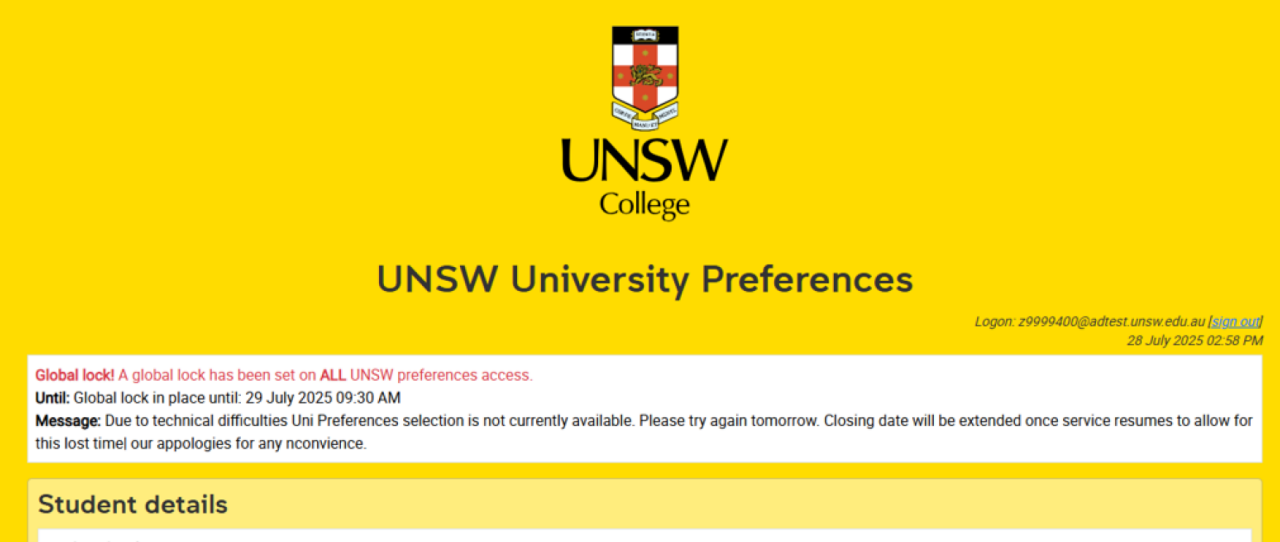
It is possible for some system or other reasons that University Preferences could be temporarily unavailable during expected opening/closing times. This could be for many reasons, technical or otherwise. While we try to avoid this happening, if it does, you will see a message on the screen when you try to access it, giving you details and advising you when it will become available again.
-
These are some examlpes of the messages that will be displayed to you on UNSW University Preferences. However, please ensure you refer to the messages that are showing on your University Preferences form for the most up-to-date information.
UNSW Preference Selection

Acknowledgement

UNSW College delivers its Foundation Studies, Academic English, Diplomas, and Pre-Masters Program, under CRICOS Provider Code 01020K; TEQSA Provider ID: PRV13020 (Institute of Higher Education).
UNSW College delivers its Applied Degrees under TEQSA Provider ID: PRV13020 (Institute of Higher Education).
UNSW College also delivers UNSW Diplomas on behalf of UNSW Sydney under CRICOS Provider Code 00098G; UNSW Sydney TEQSA Provider ID: PRV12055 (Australian University).
See unswcollege.edu.au/esos for more information.
© 2026 UNSW Global Pty Limited.