
Activate your Moodle account

Moodle is a learning management system (LMS) provided for students. Moodle is used for many, although not all Institute of Languages courses. While each Institute of Languages Moodle course will contain different resources, it is always your responsibility to check Moodle regularly for announcements, resources, assessment advice and activities.
Logging onto Moodle
- To access Moodle, use the Institute of Languages “Moodle” link.
- Then log on using your UNSW College gID and password.
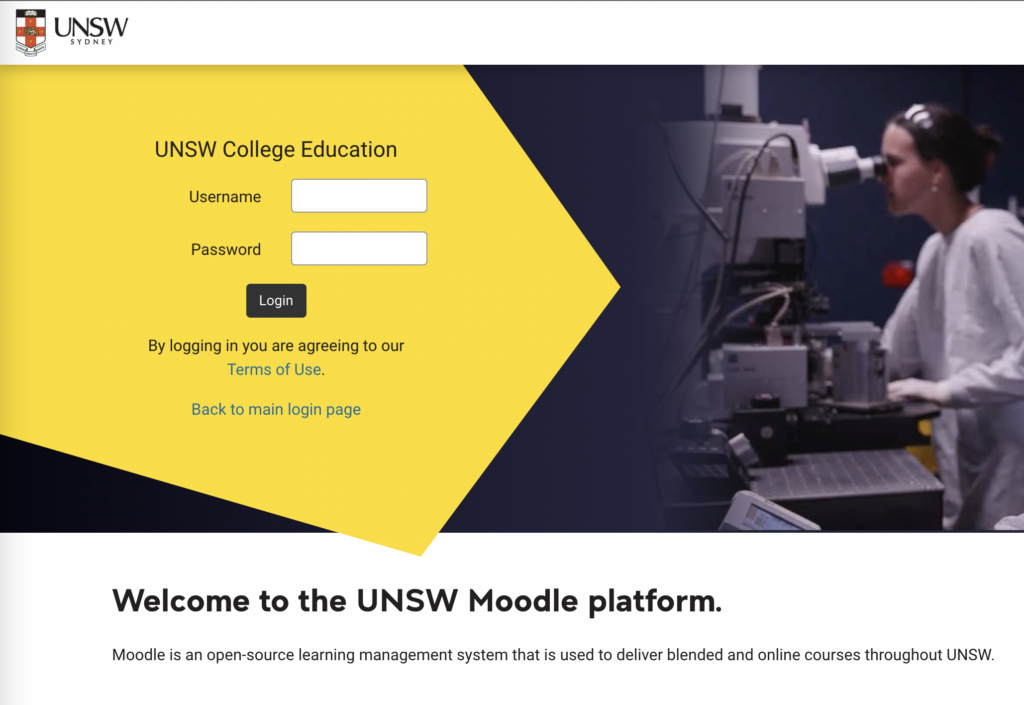
-
Note: If you click on the Foundation Studies or UNSW Diplomas Moodle links or if you search for UNSW Moodle you will land on the wrong Moodle page and will NOT be able to log on! If you land on the UNSW page do not try to logon at the top of the page but instead click the UNSW Institute of Languages link at the bottom of the page.
Correct login page:
Wrong login page:
Click the link shown to go to the correct one.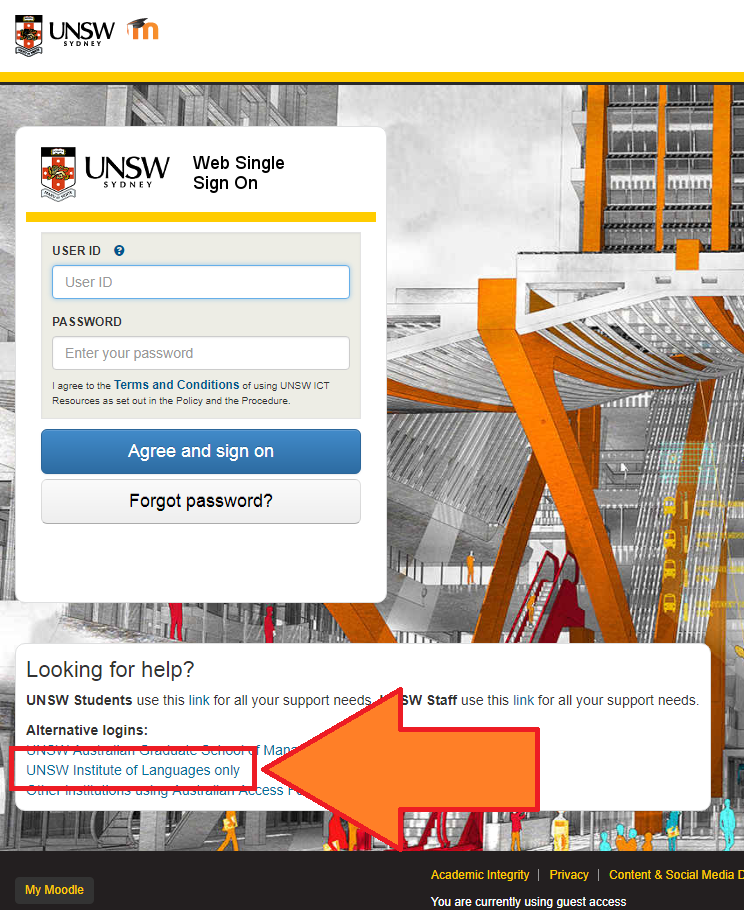
UNSW College delivers its Foundation Studies, Academic English, Diplomas, and Pre-Masters Program, under CRICOS Provider Code 01020K; TEQSA Provider ID: PRV13020 (Institute of Higher Education).
UNSW College delivers its Applied Degrees under TEQSA Provider ID: PRV13020 (Institute of Higher Education).
UNSW College also delivers UNSW Diplomas on behalf of UNSW Sydney under CRICOS Provider Code 00098G; UNSW Sydney TEQSA Provider ID: PRV12055 (Australian University).
See unswcollege.edu.au/esos for more information.
© 2026 UNSW Global Pty Limited.